Short-form analytics for TikTok, Instagram and YouTube Shorts
Find out what goes viral and put your product in it.
Track all your accounts and your competitors'. OrganicDeck spots the posts that take off, reads them slide by slide and writes new ones in the same format, straight to your TikTok drafts.
Posts that took off in the accounts you follow, newest first.
What's newSaved
All accounts · 7Virality factor of 2× or more
From a viral post to yours, in three steps.
Everything your team needs to find what works and post more of it.
Track every account
Yours, your creators' and your competitors', measured every day. Radar flags each post that beats its account's usual views.
AccountsMedian views
Our accounts
S@sunday.letters8.2K
G@golden.pages39.3K
Competitors
T@tide.journal28.5K
C@calm.coast15.1K
laws of detachment that changed how i move forever(the rules no one teaches you until it is too late)41.6×1.2M
@tide.journalSep 12
rules of emotional sobriety for people who feel everything too deeply(the principles that stopped me from drowning in my own depth)12.4×486.9K
@golden.pagesSep 15
Read every slide
OrganicDeck reads the text and image of every slide, and what's said and shown in every video, so you see how each post that took off is made.
laws of detachment that changed how i move forever(the rules no one teaches you until it is too late)1/712
What it says
1Hook“laws of detachment that changed how i move forever”
2Format7 slides · a numbered list of laws, one per slide
Text of the 7 slides
laws of detachment that changed how i move forever
law 1: stop explaining yourself to people set on misunderstanding you
law 2: if it costs you your peace, it's too expensive
law 3: when people show you who they are, believe them the first time
law 4: silence is also an answer
law 5: you can't heal in the same place that broke you
law 6: what's meant for you won't make you chase it
Put your product in it
Pick a post that took off. OrganicDeck writes new slideshows in its format, for your product, adds images and sends them to your TikTok drafts.
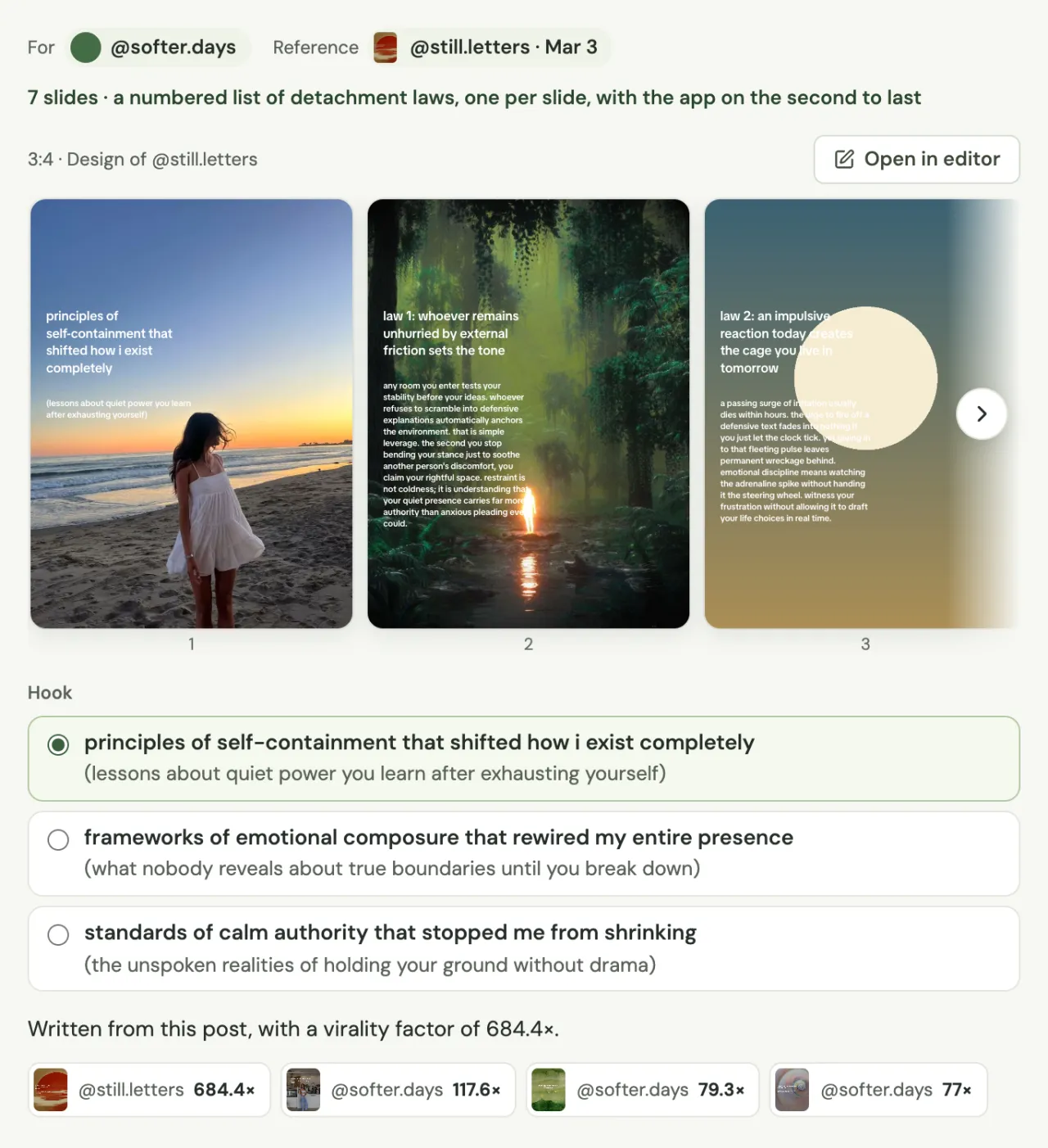
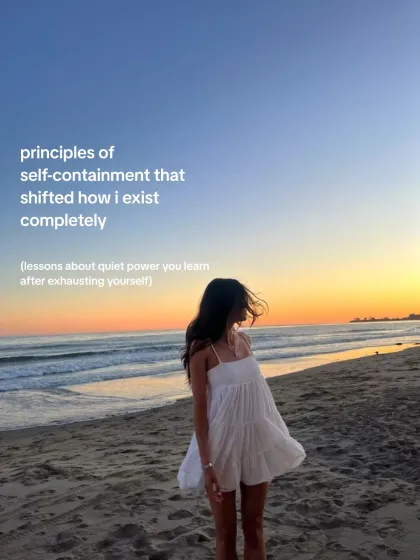
principles of self-containment that shifted how i exist completely(lessons about quiet power you learn after exhausting yourself)
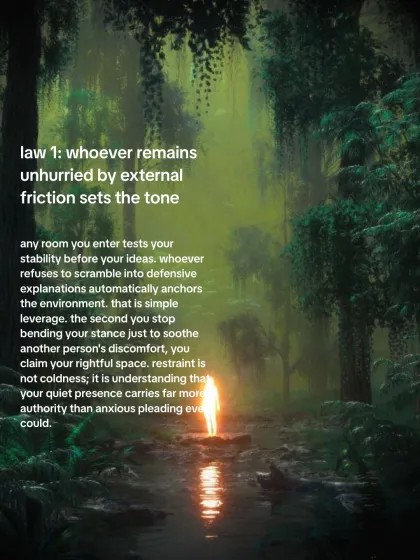
law 1: whoever remains unhurried by external friction sets the toneany room you enter tests your stability before your ideas. whoever refuses to scramble into defensive explanations automatically anchors the environment.
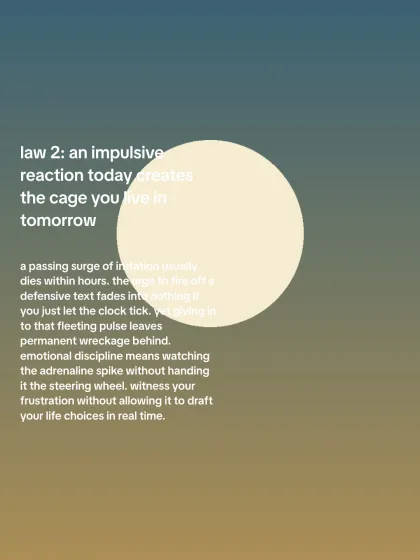
law 2: an impulsive reaction today creates the cage you live in tomorrowa passing surge of irritation usually dies within hours. the urge to fire off a defensive text fades into nothing if you just let the clock tick.
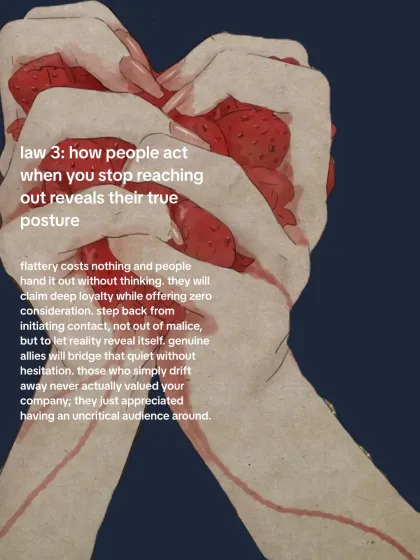
law 3: how people act when you stop reaching out reveals their true postureflattery costs nothing and people hand it out without thinking. step back from initiating contact, not out of malice, but to let reality reveal itself.
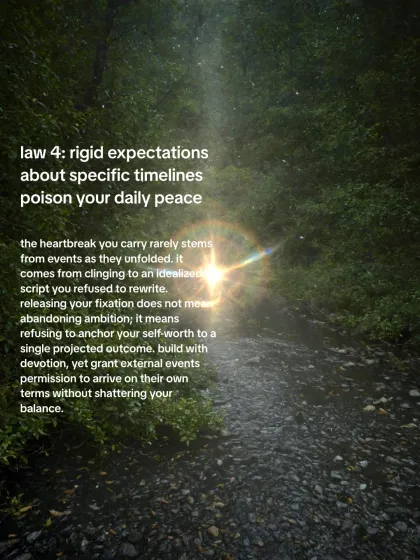
law 4: rigid expectations about specific timelines poison your daily peacethe heartbreak you carry rarely stems from events as they unfolded. it comes from clinging to an idealized script you refused to rewrite.
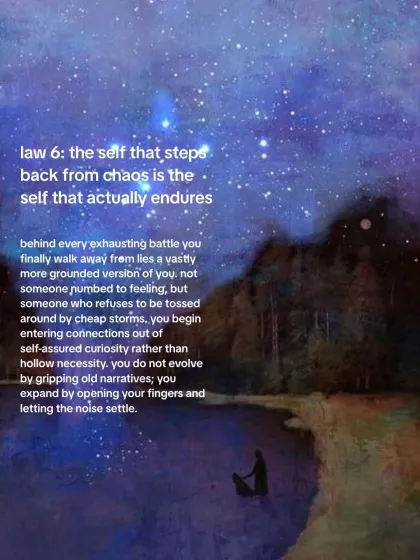
law 5: the self that steps back from chaos is the self that actually enduresbehind every exhausting battle you finally walk away from lies a vastly more grounded version of you.
principles of self-containment that shifted how i exist completely
frameworks of emotional composure that rewired my entire presence
standards of calm authority that stopped me from shrinking
It's in @sunday.letters's TikTok inbox.Send to TikTok
From a post that took off to your TikTok drafts.
Pick a few posts that worked. OrganicDeck writes new ones in their format, for your product.
Start from posts that took off. Paste a link to any post or account, yours or a competitor's, or pick from the posts you track. It takes their format (how many slides, what each one does, how it opens), then writes three hooks and the text of every slide.
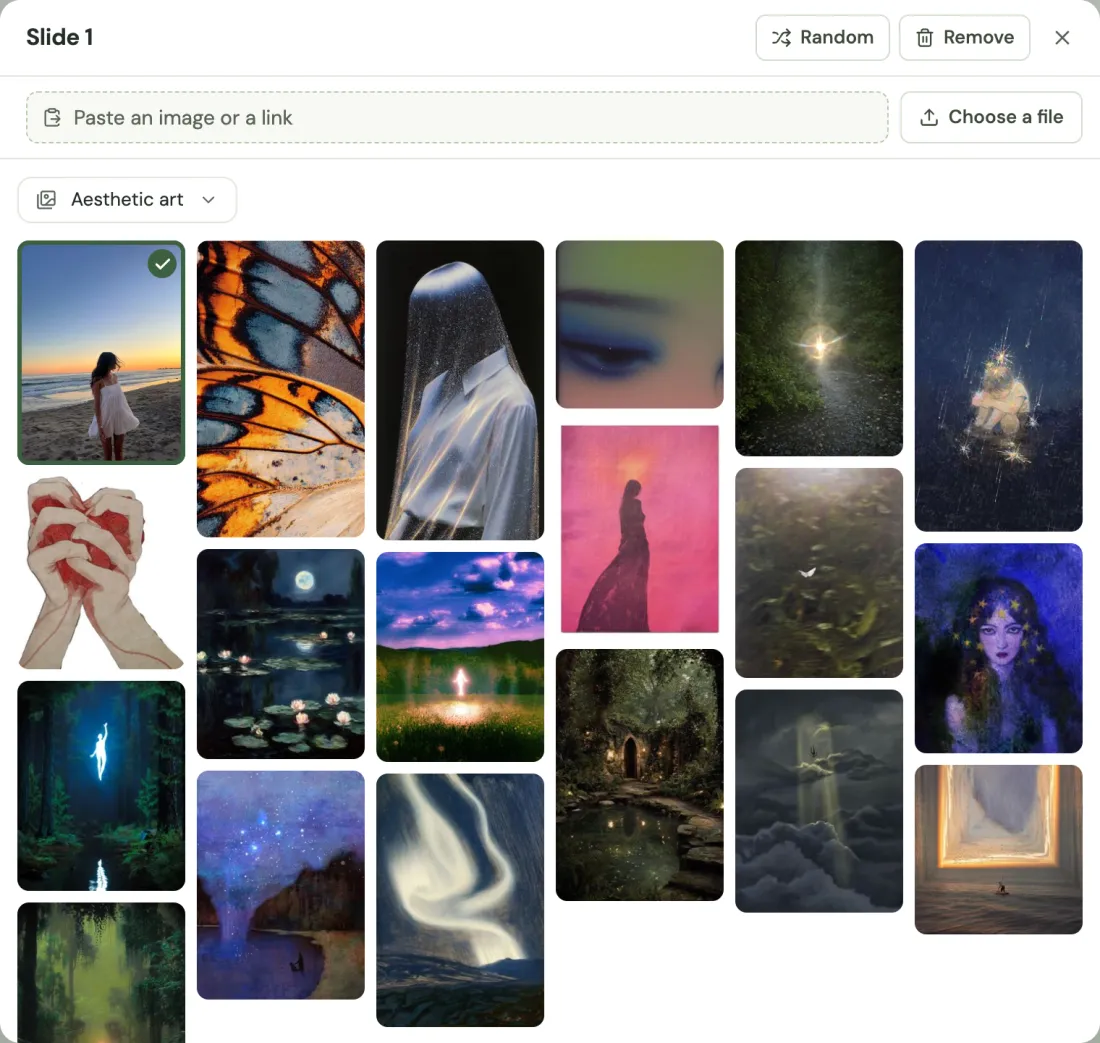
Images from Pinterest, or your own. Import a Pinterest board, paste a pin or upload your photos. Each slide gets one, and you can shuffle them or pick another from the board.
An editor made for slideshows. Every slide sits on one canvas, with layers and TikTok's own fonts and text boxes. Style the whole slideshow at once or one slide at a time, crop a picture or drag a new one in from your board.
Straight to your TikTok drafts. The slides land as a draft in the account's TikTok inbox, where you add a sound and post from your phone. For any other platform, download them.
principles of self-containment that shifted how i exist completely3:4 · Design of @still.letters
DownloadSend to TikTok
All your numbers, measured every day.
Views, likes, comments, shares, saves and followers from all your accounts, added up in one Overview.
Growth, day by day. OrganicDeck measures your posts again every day, so you see the views each one gained that day, not just its total.
A virality factor on every post. Views over the account's median: a post is a hit from 2× and viral from 10×, so a small account weighs as much as a big one.
Against the period before. Every figure shows how much it changed from the same number of days right before.
Every account side by side. Sort your accounts by median views, hit rate, save rate or followers gained.
Ask all your posts what worked.
Intelligence answers with your own numbers and shows the posts behind every answer.
What do you want to know?
6 accounts · 1,240 posts measured in September
Ask about all your posts
Posts cited in the answer4 of 21
6.2×
is your skincare routine doing too much?
Slideshow · 6
@slowmorning.co84.3K views
4.8×
why does nobody talk about this app?
Video · 0:18
@plannerless.app52.1K views
5.2×
pov: you finally fixed your sleep schedule
Slideshow · 6
@quietstudy.club27.4K views
3.4×
are you drinking enough water or just coffee?
Video · 0:12
@nadia.makes71.2K views
From a list of accounts to your next post.
Every account in one list. Paste the link to any public profile: yours, your creators' or your competitors'. Nobody shares a login, and competitors never get a notice.
Paste a profile or post link: tiktok.com/@centsible.appAdd
TikTok, Instagram, YouTube Shorts and Facebook Reels, measured every day or every 12 hours. X and Snapchat, post by post.
What took off, every day. Radar lists every post that outperformed its account, newest first. When the account used the same hook before, it shows how many of those posts took off.
It reads every post. The text and image of every slide, and every video up to three minutes: what's on screen, what's said and when. The chat, Hooks and Slideshows all work from that reading.
P@plannerless.appSlideshow · 52.6×
1
3 apps that replaced my planner
2
1. a calendar that plans your week
3
2. a to-do list you actually open
4
3. a focus timer that locks your phone
5
all three in one: plannerless · link in bio
N@nadia.makesVideo · 0:244.6×
day 30 of using it every morning
0:00
0:03
two drops, morning and night
0:11
0:18
Know what to repeat. It sorts every post by how it opens, and shows which openings beat the median on most of your accounts, and which accounts never tried them.
For teams that post every day, from many accounts.
Slideshow accounts, UGC creators or an agency with several clients. Each one asks different questions, and every answer comes from its own numbers.
What do my top 20 slideshows have in common that my bottom 20 don't?
15 of your top 20 open with a question, and 17 close on a single screenshot of the app. Of your bottom 20, only 4 open with a question and 12 close on a list of features.
Which creators beat their usual most often, and how do their videos open?
7 of the last 10 videos from @nadia.makes beat 2×, and all 7 open on the routine already happening, with one line on screen. @tomasfilms, at 0.8×, opens by talking to the camera.
What worked for this client in September, and why?
Two kinds of post carried September: before-and-after slideshows, with a 5.2× virality factor on average, and myth-busting lists, at 3.1×. Before-and-after worked on all 6 accounts. The lists worked on 4.
Plans that grow with your content team.
Starter
For one person running their first accounts and creators.
$99/month
Billed monthly
Unlimited accountsOn TikTok, Instagram, YouTube, Facebook, X and Snapchat
1,000 tracked videos, measured every day
1 member
Intelligence included every month
Reads 1,000 slideshows or minutes of videoFinds the hooks that work in each account
Writes 300 slideshowsIn the format of any post, ready to send to TikTok
Answers 100 questionsAbout your accounts, with your own numbers
Every plan also includes Radar with the posts that take off, the Overview, a list of every post and CSV export.
Questions teams ask before they start.
I already use a tracker. Why switch?
OrganicDeck measures too, with the same video volumes. What it adds is that it reads every post, tells you why one worked and writes the next one. You can try it for 7 days with the same accounts.
How does the free trial work?
You get the whole plan for 7 days, with Intelligence up to 1,000 reads and 20 questions. It asks for a card, and you're only charged if you keep the plan.
Can I cancel anytime?
Yes. Cancel from your settings whenever you want, and your plan stays active until the end of the period you paid for.
I already use a slideshow generator. What's different?
A generator starts from a description of your product and a template. OrganicDeck starts from a post that took off, yours or a competitor's, and knows why it worked, because it measured and read it. Your slideshow keeps that post's format and design.
We only post videos. Is it for us?
Yes. It watches every video up to three minutes, so it can tell you why the ones that took off worked and which openings to repeat on each account. Slideshows is the one part you won't use.
When do I see something?
The same day you add your accounts. It reads the posts that took off first, so the first answers don't wait for the rest.
Does the AI make up numbers?
No. Every figure comes from your measurements, and every answer shows the posts it relies on.
Does it design the slides?
Yes. The slides take the design of the post you started from, with photos from your Pinterest boards or your own uploads. You can change anything in the editor, then download them or send them to TikTok.
Does it post for me?
No. It sends the slides as a draft to the account's TikTok inbox, where you add a sound and post from your phone.
Does it copy other people's posts?
No. It takes the format of the post you give it: how many slides, what each one does and how it opens. The words are new, and a line that repeats five words in a row from that post gets written again.
Do I need my creators' logins?
No. Every account is added with its public link, so it works the same for your accounts, your creators' and your competitors'. You log in to TikTok only to send drafts to an account.
Can I follow my competitors?
Yes. Their accounts go in with their link and are measured and read like yours, so you can ask why their posts took off and compare them with your own. They don't get any notice.
Which platforms does it cover?
TikTok, Instagram, YouTube Shorts and Facebook Reels, whole accounts. X and Snapchat, by post link.
Is it real time?
OrganicDeck measures your accounts once a day or every 12 hours, depending on your plan, and keeps every post's measurement history.
What counts as a read?
One slideshow, or one started minute of video. A video counts as three reads at most.
Can other teams see what I follow?
No. The accounts you follow, your groups and your questions belong to your project.
Can I have one project per client?
Yes. Create one from the project menu. Each project has its own accounts, members and plan.


 0:00
 0:03
 0:11
 0:18